
1
Setup LinkedIn Developer Portal
- Create a LinkedIn Developer account.
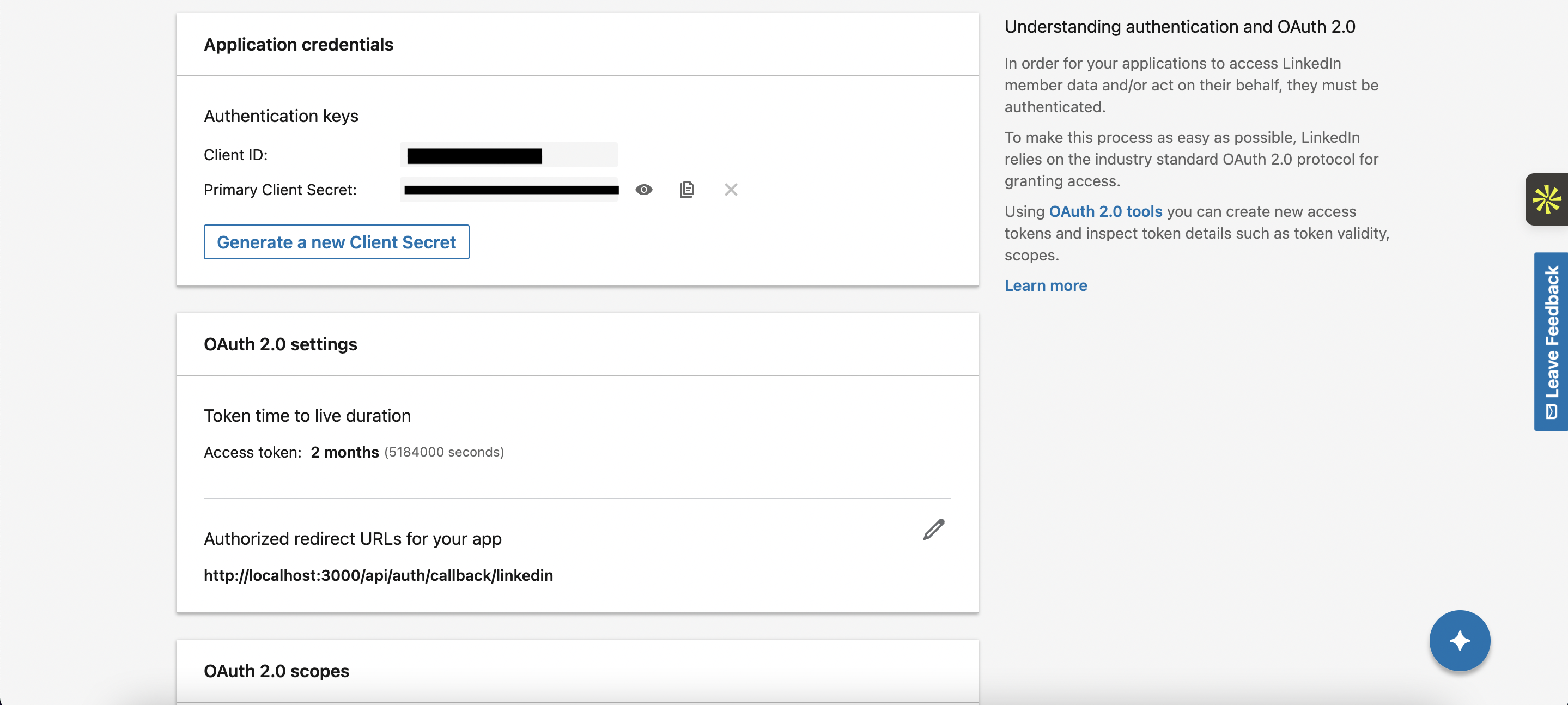
- Navigate to the My Apps section and create a new application.
- Obtain a Client ID and Client Secret from the LinkedIn OAuth settings. Be sure to set the redirect URL to your application handling the Nile Auth requests.
Linkedin dashboard example
Linkedin dashboard example
2
Save Client ID and Client Secret in Nile
Save the Client ID and Client Secret to your database at 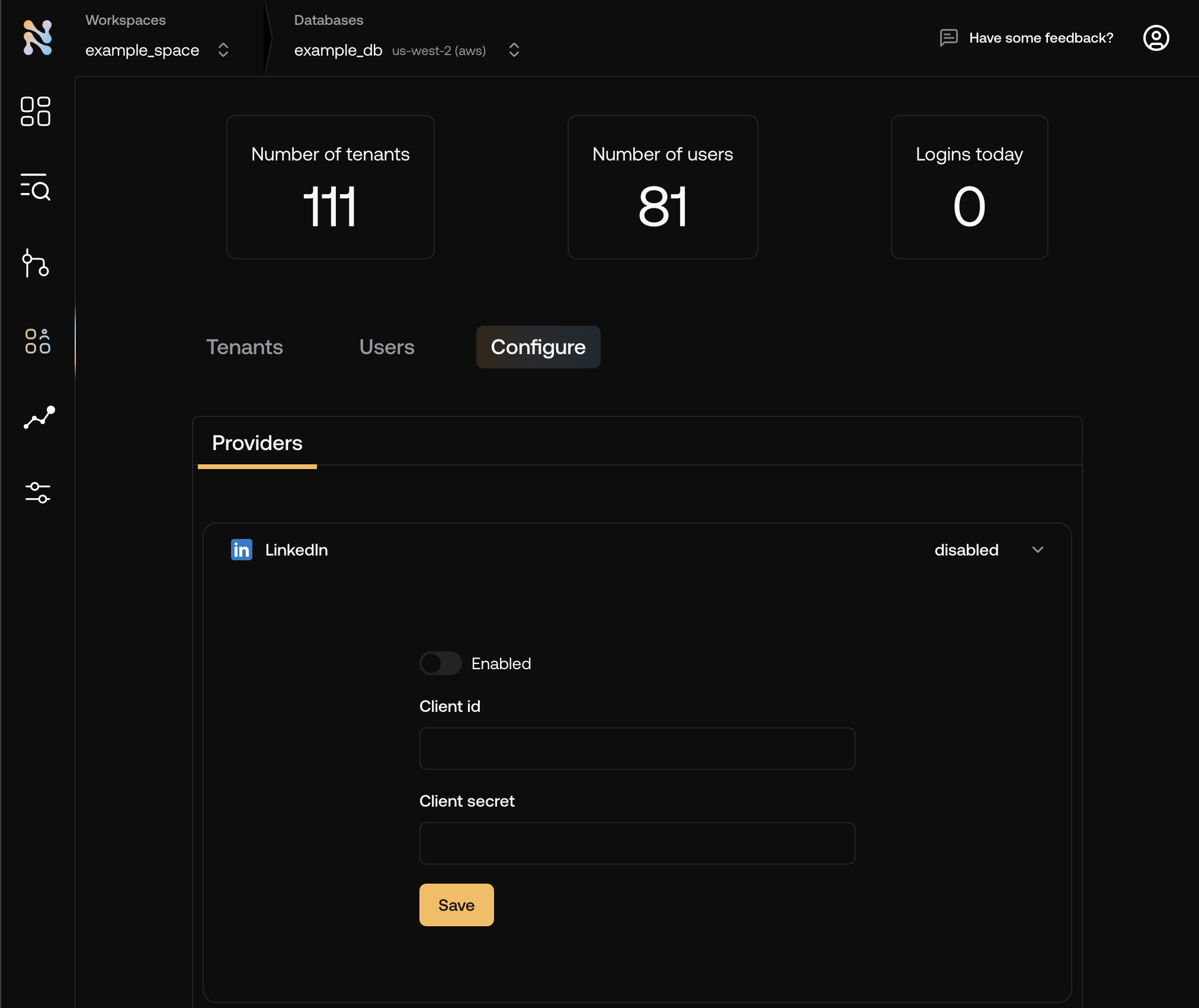
console.thenile.dev under LinkedIn in Tenants & Users -> Configuration\3
Add the LinkedIn button to your login page
The button will redirect the user to LinkedIn for authentication. Upon successful authentication, the user will be redirected back to your application.