Documentation Index

Fetch the complete documentation index at: https://thenile.dev/docs/llms.txt

Use this file to discover all available pages before exploring further.

Workspaces in Nile help you organize your databases and resources. This guide covers the commands available for managing workspaces.
nile workspace [command] [options]
Available commands:
  • list - View all available workspaces
  • show - Display current workspace details

Setting Active Workspace

Before using workspace commands, you can set your active workspace:
nile config --workspace <workspaceName>
You can also use the NILE_WORKSPACE environment variable:
Environment Variable
export NILE_WORKSPACE=production

Listing Workspaces

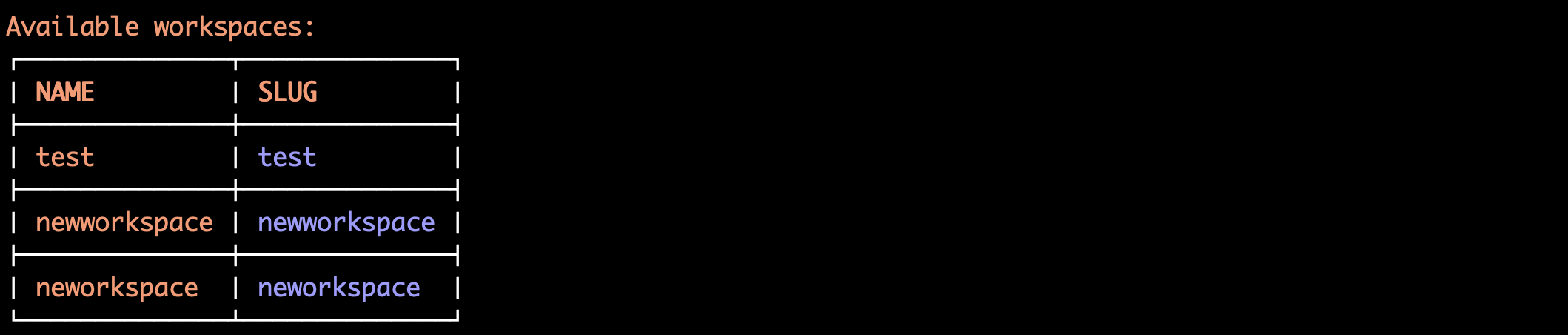
The list command shows all workspaces you have access to.
nile workspace list [options]

Options

FlagDescriptionDefault
--formatOutput format (human, json, csv)human

Examples

List Examples
# Basic list
nile workspace list

# JSON format
nile workspace list --format json

# CSV format
nile workspace list --format csv

Showing Current Workspace

The show command displays details about your current workspace.
nile workspace show [options]

Options

FlagDescriptionDefault
--formatOutput format (human, json, csv)human

Examples

Show Examples
# Show current workspace
nile workspace show

# JSON format
nile workspace show --format json

# CSV format
nile workspace show --format csv

Sample Output

Common Workflows

Setting Up Development Environment

Development Setup
# 1. List available workspaces
nile workspace list

# 2. Set active workspace
nile config --workspace development

# 3. Verify workspace
nile workspace show

# 4. List databases in workspace
nile db list

Workspace Verification

Verification Workflow
# 1. Check current workspace
nile workspace show

# 2. List all workspaces
nile workspace list

# 3. Verify access
nile db list  # Lists databases in current workspace

Common Issues

No Active Workspace

When no workspace is selected:
No Workspace
# Try command without workspace
nile db list
Error: No workspace specified

# Solution: Set workspace
nile config --workspace development

Authentication Issues

When authentication is required:
Auth Issues
# Authentication error
nile workspace list
Error: Authentication required

# Solution: Login first
nile connect login

Invalid Workspace

When workspace doesn’t exist:
Invalid Workspace
# Try invalid workspace
nile config --workspace nonexistent
Error: Workspace 'nonexistent' not found

# Solution: List available workspaces
nile workspace list

Best Practices

  1. Environment Variables: Use environment variables for different contexts:
    # Development
    export NILE_WORKSPACE=development
    
    # Production
    export NILE_WORKSPACE=production
    
  2. Configuration File: Set default workspace in configuration:
    nile config --workspace default-workspace
    
  3. Verification: Always verify workspace before critical operations:
    nile workspace show
    
  • nile config - Configure CLI settings
  • nile db list - List databases in workspace
  • nile connect - Authentication management
  • nile tenants - Tenant management within workspace