> ## Documentation Index
> Fetch the complete documentation index at: https://thenile.dev/docs/llms.txt
> Use this file to discover all available pages before exploring further.
# Build AI-Native B2B application with Postgres and Drizzle ORM
In this tutorial, you will learn about Nile's tenant virtualization features, while building a backend service for a todo list application.
We'll use Drizzle as the ORM to interact with the database, OpenAI client to interact with AI models, Express as the web framework and NodeJS as the runtime.
We'll use Nile to provide us with virtual-tenant databases - isolating the tasks for each tenant, and we'll use the AI models to generate automated time estimates
for each task in the todo list. The estimates will be based on the task title, and estimates of similar tasks in the tenant's history.
This technique is known as [RAG architecture](https://www.thenile.dev/docs/ai-embeddings/rag).
1. Sign up for an invite to [Nile](https://thenile.dev) if you don't have one already
2. You should see a welcome message. Click on "Lets get started"
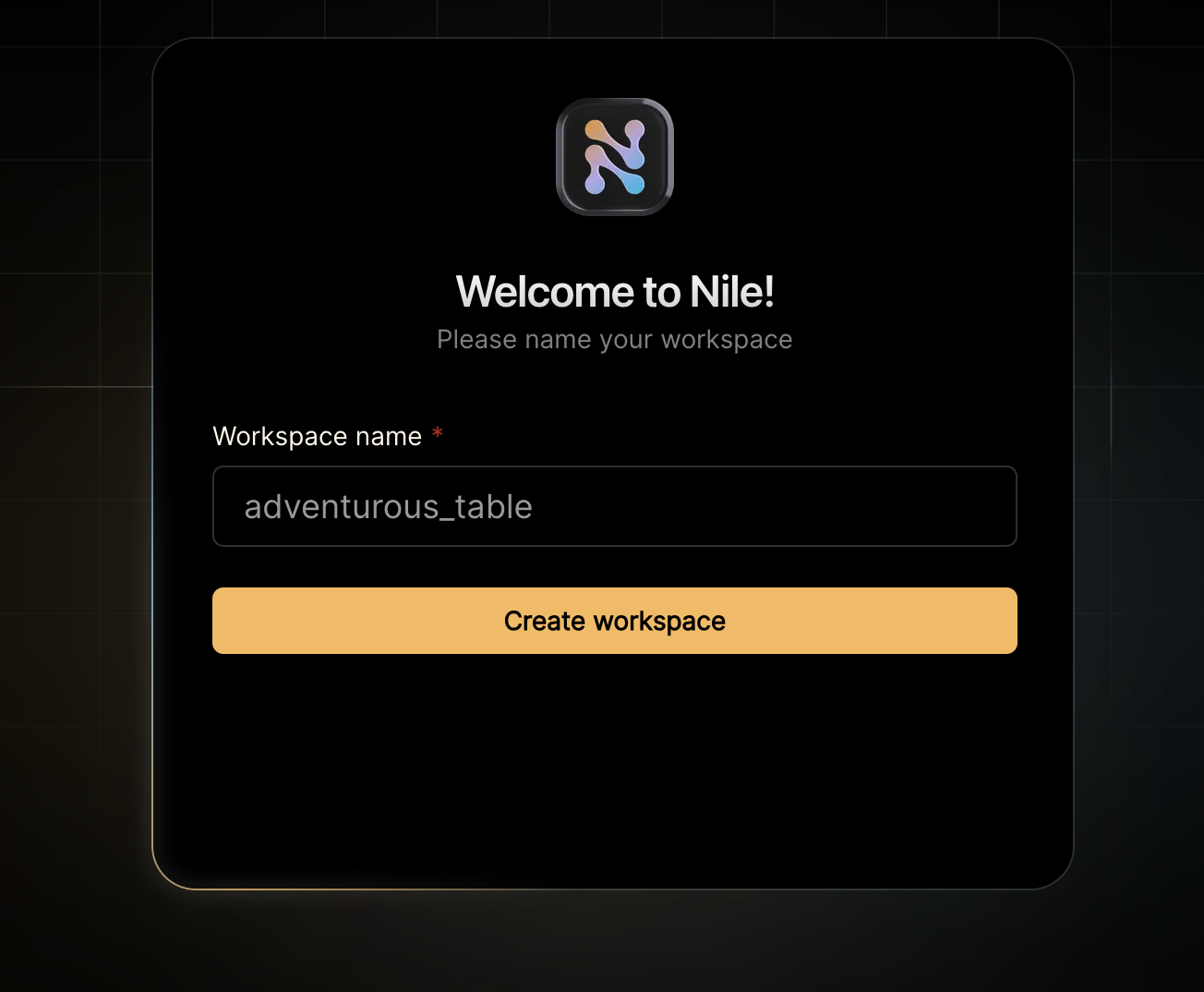
3. Give your workspace and database names, or you can accept the default auto-generated names. In order to complete this quickstart in a browser, make sure you select to “Use Token in Browser”.
After you created a database, you will land in Nile's query editor. Since our application requires a table for storing all the "todos" this is a good time to create one:
```sql theme={null}
CREATE TABLE IF NOT EXISTS "todos" (
"id" uuid DEFAULT gen_random_uuid(),
"tenant_id" uuid,
"title" varchar(256),
"estimate" varchar(256),
"embedding" vector(768),
"complete" boolean,
CONSTRAINT todos_tenant_id_id PRIMARY KEY("tenant_id","id")
);
```
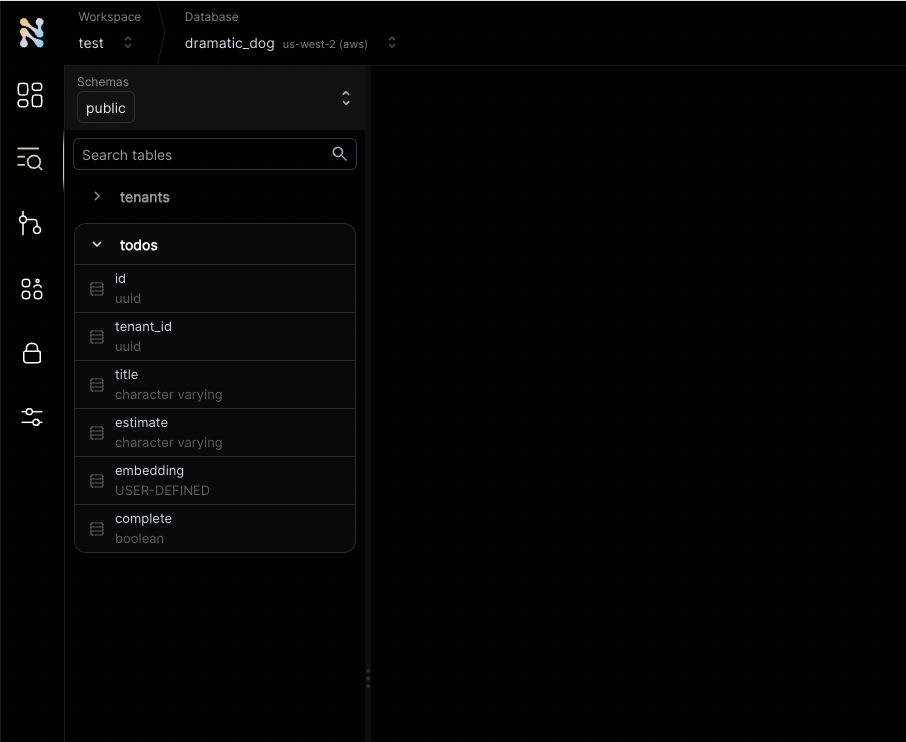
You will see the new table in the panel on the left side of the screen, and you can expand it to view the columns.
The embedding column is a vector representation of the task. When the user adds new tasks, we will use these embeddings to find
semantically related tasks and use this as a basis of our AI-driven time estimates. This technique - looking up related data using embeddings and
using this data with text generation models is a key part of [RAG (Retrieval Augumented Generation)](https://www.thenile.dev/docs/ai-embeddings/rag).
See the `tenant_id` column? By specifying this column, You are making the table **tenant aware**. The rows in it will belong to specific tenants. If you leave it out, the table is considered shared, more on this later.
In the left-hand menu, click on "Settings" and then select "Connection".
Click on the Postgres button, then click "Generate Credentials" on the top right corner. Copy the connection string - it should now contain the credentials we just generated.
This example uses AI chat and embedding models to generate automated time estimates for each task in the todo
list. In order to use this functionality, you will need access to models from a vendor with OpenAI compatible
APIs. Make sure you have an API key, API base URL and the [names of the models you'll want to use](https://www.thenile.dev/docs/ai-embeddings/embedding_models).
Enough GUI for now. Let's get to some code.
If you haven't cloned this repository yet, now will be an excellent time to do so.
```bash theme={null}
git clone https://github.com/niledatabase/niledatabase
cd niledatabase/examples/quickstart/drizzle
```
Rename `.env.example` to `.env`, and update it with the connection string you just
copied from Nile Console and the configuration of your AI vendor and model. Make sure you don't include
the word "psql". It should look something like this:
```bash theme={null}
DATABASE_URL=postgres://018b778a-30df-7cdd-b55c-2f9664db39f3:ff3fb983-683c-4616-bbbc-519d8ddbbce5@db.thenile.dev:5432/gwen_db
# for AI estimates
AI_API_KEY=your_api_key_for_openai_compatible_service
AI_BASE_URL=https://api.fireworks.ai/inference/v1
AI_MODEL=accounts/fireworks/models/llama-v3p1-405b-instruct
EMBEDDING_MODEL=nomic-ai/nomic-embed-text-v1.5
```
Install dependencies with `yarn install` or `npm install`.
```bash theme={null}
npm install
```
Start the web service with `npm start` or `yarn start`.
Now you can use `curl` to explore the APIs. Here are a few examples:
```bash theme={null}
# create a tenant
curl --location --request POST 'localhost:3001/api/tenants' \
--header 'Content-Type: application/json' \
--data-raw '{"name":"my first customer", "id":"108124a5-2e34-418a-9735-b93082e9fbf2"}'
# get tenants
curl -X GET 'http://localhost:3001/api/tenants'
# create a todo (don't forget to use a read tenant-id in the URL)
curl -X POST \
'http://localhost:3001/api/tenants/108124a5-2e34-418a-9735-b93082e9fbf2/todos' \
--header 'Content-Type: application/json' \
--data-raw '{"title": "feed the cat", "complete": false}'
# list todos for tenant (don't forget to use a read tenant-id in the URL)
curl -X GET \
'http://localhost:3001/api/tenants/108124a5-2e34-418a-9735-b93082e9fbf2/todos'
# list todos for all tenants
curl -X GET \
'http://localhost:3001/insecure/all_todos'
```
Go back to the Nile query editor and see the data you created from the app.
```sql theme={null}
SELECT tenants.name, title, estimate, complete
FROM todos join tenants on tenants.id = todos.tenant_id;
```
You should see all the todos you created, and the tenants they belong to.
If you create more tasks via the REST APIs, the estimates for new tasks will use the embeddings of the existing tasks to
generate the estimates.
This example is a good starting point for building your own application with Nile.
You have learned basic Nile, AI and RAG concepts and how to use them with Drizzle ORM.
You can learn how the example application works more in detail below or you can learn
more about Nile's tenant virtualization features in the following tutorials:
* [Tenant management](/tenant-virtualization/tenant-management)
* [Tenant isolation](/tenant-virtualization/tenant-isolation)
You can explore Nile's JS SDK in the [SDK reference](/auth/sdk-reference/javascript/overview).
You can learn [More about AI in Nile](https://www.thenile.dev/docs/ai-embeddings), or try a more advanced example like:
* [Chat with PDFs](https://www.thenile.dev/docs/getting-started/examples/chat_with_pdf)
* [Code Assistnat](https://www.thenile.dev/docs/getting-started/examples/code_assistant)
## How does it work?
Let's take a look at the code. The web application starting point is in [`src/app.ts`](https://github.com/niledatabase/niledatabase/blob/main/examples/quickstart/drizzle/src/app.ts).
It creates an Express app, and sets up some of the usual middleware:
```typescript theme={null}
const app = express();
app.listen(PORT, () => console.log(`Server is running on port ${PORT}`));
app.use(express.json());
app.use(express.urlencoded({ extended: true }));
```
The interesting parts are the middleware that sets up the tenant context, and `tenantDB` which wraps Drizzle and passes the tenant context to Nile.
And of course, the handler that uses AI models to automatically estimate the time to complete tasks.
Lets look at these one by one.
### Tenant Context Middleware
Immediately after the middleware that sets up the Express app, we add a middleware that introduces Nile's tenant context to the application:
```typescript theme={null}
app.use((req, res, next) => {
const fn = match('/api/tenants/:tenantId/todos', {
decode: decodeURIComponent,
});
const m = fn(req.path);
//@ts-ignore
const tenantId = m?.params?.tenantId;
console.log('setting context to tenant: ' + tenantId);
tenantContext.run(tenantId, next);
});
```
This may look a bit magical, but let me explain. This middleware grabs the tenant id from the URL and sets it in the tenant context.
This context is an instance of `AsyncLocalStorage` - which provides a way to store data that is global and unique per execution context.
The data we are storing is the tenant ID, and by passing `next` as the second argument to `tenantContext.run` we are making sure that all the code that runs after this middleware will have access to the tenant ID.
### TenantDB
Now lets take a look at `db/db.ts` - this is where we set up Drizzle and connect it to Nile. We use `pg` client as the driver for Drizzle, and we pass it the connection string from the environment.
```typescript theme={null}
const client = new Client({
connectionString: process.env.DATABASE_URL,
});
// Drizzle expects the connection to be open when using a client. Alternatively, you can use a pool
await client.connect();
// check the connection
const res = await client.query('SELECT $1::text as message', [
'Client connected to Nile',
]);
console.log(res.rows[0].message);
export const db = drizzle(client, { logger: true });
```
But the interesting part is the `tenantDB` function. This is where we wrap Drizzle with Nile's tenant virtualization features.
We need Drizzle to set Nile context on the connection before each query we execute. We do this by accepting each query as a callback and wrapping it in a transaction that starts with `set nile.tenant_id`.
We get the tenant ID from the tenant context, which we set earlier in the middleware.
```typescript theme={null}
return db.transaction(async (tx) => {
const tenantId = tenantContext.getStore();
// clean old context
await tx.execute(sql`reset nile.tenant_id`);
// if there's a tenant ID, set it in the context
if (tenantId) {
await tx.execute(sql`set nile.tenant_id = '${sql.raw(tenantId)}'`);
}
return cb(tx);
});
```
### Tying it all together - handling a request for all todos for a tenant
Now that we understand how the tenant context and `tenantDB` work, lets take a look at how we use them to handle a request for all todos for a tenant.
We are using the `tenantDB` function to execute a query that returns all the todos for a tenant.
The query doesn't need to include the tenant ID in the `where` clause, because `tenantDB` will set it in the context.
```typescript theme={null}
const todos = await tenantDB(async (tx) => {
return await tx.select().from(todoSchema);
});
res.json(todos);
```
### Using AI models to estimate time to complete tasks
This example uses AI chat and embedding models to generate automated time estimates for each task in the todo list. We handle the time estimates in
the route handler for `app.post("/api/tenants/:tenantId/todos"`. This handler executes when users add new tasks.
This is what the handler code looks like:
```typescript theme={null}
const { title, complete } = req.body;
const tenantId = req.params.tenantId;
// We are using tenantDB with tenant context to ensure that we only find tasks for the current tenant
const similarTasks = await findSimilarTasks(tenantDB, title);
console.log('found similar tasks: ' + JSON.stringify(similarTasks));
const estimate = await aiEstimate(title, similarTasks);
console.log('estimated time: ' + estimate);
// get the embedding for the task, so we can find it in future similarity searches
const embedding = await embedTask(title, EmbeddingTasks.SEARCH_DOCUMENT);
const newTodo = await tenantDB(async (tx) => {
return await tx
.insert(todoSchema)
.values({ tenantId, title, complete, estimate, embedding })
.returning();
});
// return without the embedding vector, since it is huge and useless
res.json(newTodo.map((t: any) => ({ ...t, embedding: '' })));
```
As you can see, we look up similar tasks and then use the AI model to generate the estimate. We then store the task, with the estimate and the task embedding in the database.
The stored embedding will be used to find similar tasks in the future. The methods `findSimilarTasks`, `aiEstimate` and `embedTask` are all defined in `AiUtils.ts`.
They are wrappers around standard AI model calls and database queries, and they handle the specifics of the AI model we are using.
This will make it easy to switch models in the future.
Getting similar tasks is done by querying the database for tasks with similar embeddings.
```typescript theme={null}
const embedding = await embedTask(title, EmbeddingTasks.SEARCH_QUERY);
const similarity = sql`(${cosineDistance(
todoSchema.embedding,
embedding,
)})`;
// get similar tasks, no need to filter by tenant because we are already in the tenant context
const similarTasks = await tenantNile(async (tx) => {
return await tx
.select({ task: todoSchema.title, estimate: todoSchema.estimate })
.from(todoSchema)
.where(lt(similarity, 1))
.orderBy((t: any) => desc(similarity))
.limit(3);
});
```
We started by generating an embedding with `SEARCH_QUERY` task type. This is because we are looking for
similar tasks to the new task. We use an embedding model from the `nomic` family, which is trained to perform specific types of embedding tasks. Telling it that we are generating the embedding for a lookup vs
generating an embedding that we will store with the document (as we'll do in a bit), should help the model produce more relevant results.
DrizzleORM provides the magical `sql` method, as well as the `cosineDistance` function, which we use to work
with `pg_vector` and calculate the similarity between the embeddings of the new task and the existing tasks.
As you can see, we filter out results where the cosine distance is higher than 1.
The lower the cosine distance is, the more similar the tasks are (0 indicate that they are identical).
A cosine distance of 1 means that the vectors are essentially unrelated, and when cosine distance is closer to 2, it indicates that the vectors are semantically opposites.
The `embedTask` function uses the embedding model to generate the embedding and is a very simple wrapper on the model:
```typescript theme={null}
let resp = await ai.embeddings.create({
model: EMBEDDING_MODEL,
input: adjust_input(title, task),
});
```
Now that we have the similar tasks, the handler calls `aiEstimate` to generate the time estimate.
This function also wraps a model, this time a conversation model rather than an embedding model. And it icludes the similar tasks in the promopt, so the model will
generate similar estimates:
```typescript theme={null}
const aiEstimate = await ai.chat.completions.create({
messages: [
{
role: 'user',
content: `you are an amazing project manager. I need to ${title}. How long do you think this will take?
I have a few similar tasks with their estimates, please use them as reference: ${similarTasks}.
respond with just the estimate, keep the answer short.`,
},
],
max_tokens: 64, // limit the response to 64 tokens
model: model,
});
```
This estimate is then stored in the database along with the task and its vector embedding.
### But wait, what's todoSchema and tenantSchema?
You may have noticed that we are not using the table name directly in the code. Instead, we are using `todoSchema` and `tenantSchema`.
We defined these in `src/db/schema.ts`, and these are the objects that Drizzle uses to interact with the database. It is an object that maps to the tables in our database.
Drizzle can also generate migration files from these objects, and we can use them to create the tables in the database.
 3. Give your workspace and database names, or you can accept the default auto-generated names. In order to complete this quickstart in a browser, make sure you select to “Use Token in Browser”.